Note names, where you need them
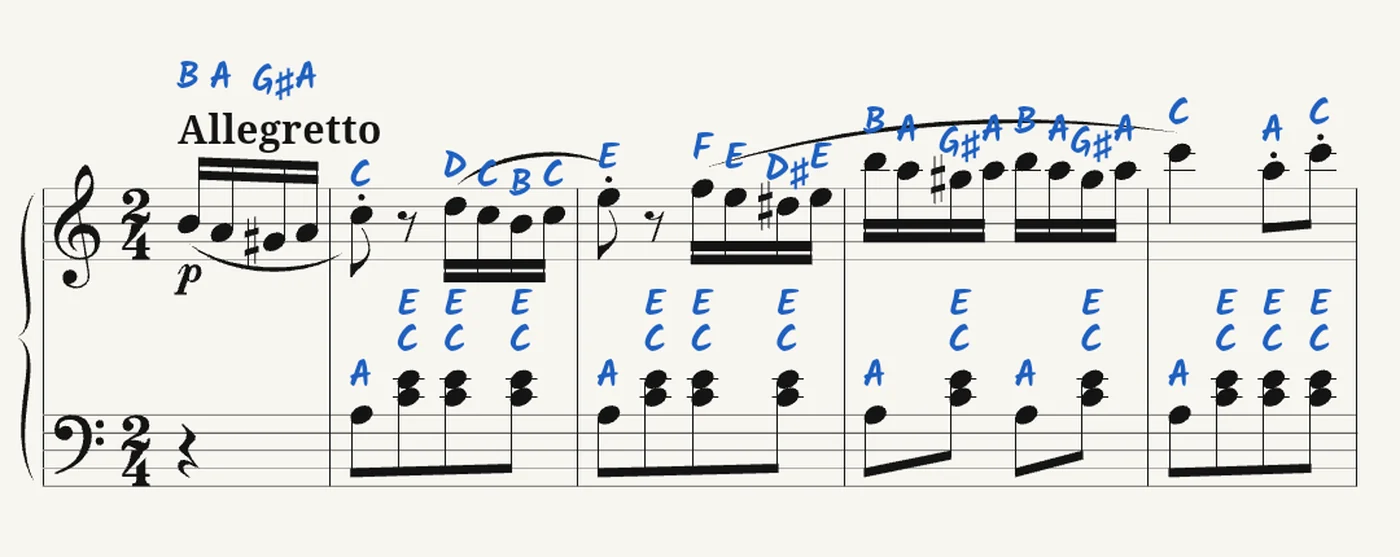
Tap a note and choose A to see its name. Or switch the names on for the whole piece, and off again once you no longer need them. In German, of course, with H and Fis.

Piano app for Android tablets
Ossia is for people who play from sheet music. Bring the pieces you already have, and Ossia can play them to you, show the note names and listen while you play.
Ossia is being tested now and comes to Google Play afterwards.
Every piece opens in three modes
Turn pages with a tap, a swipe or a page-turn pedal.
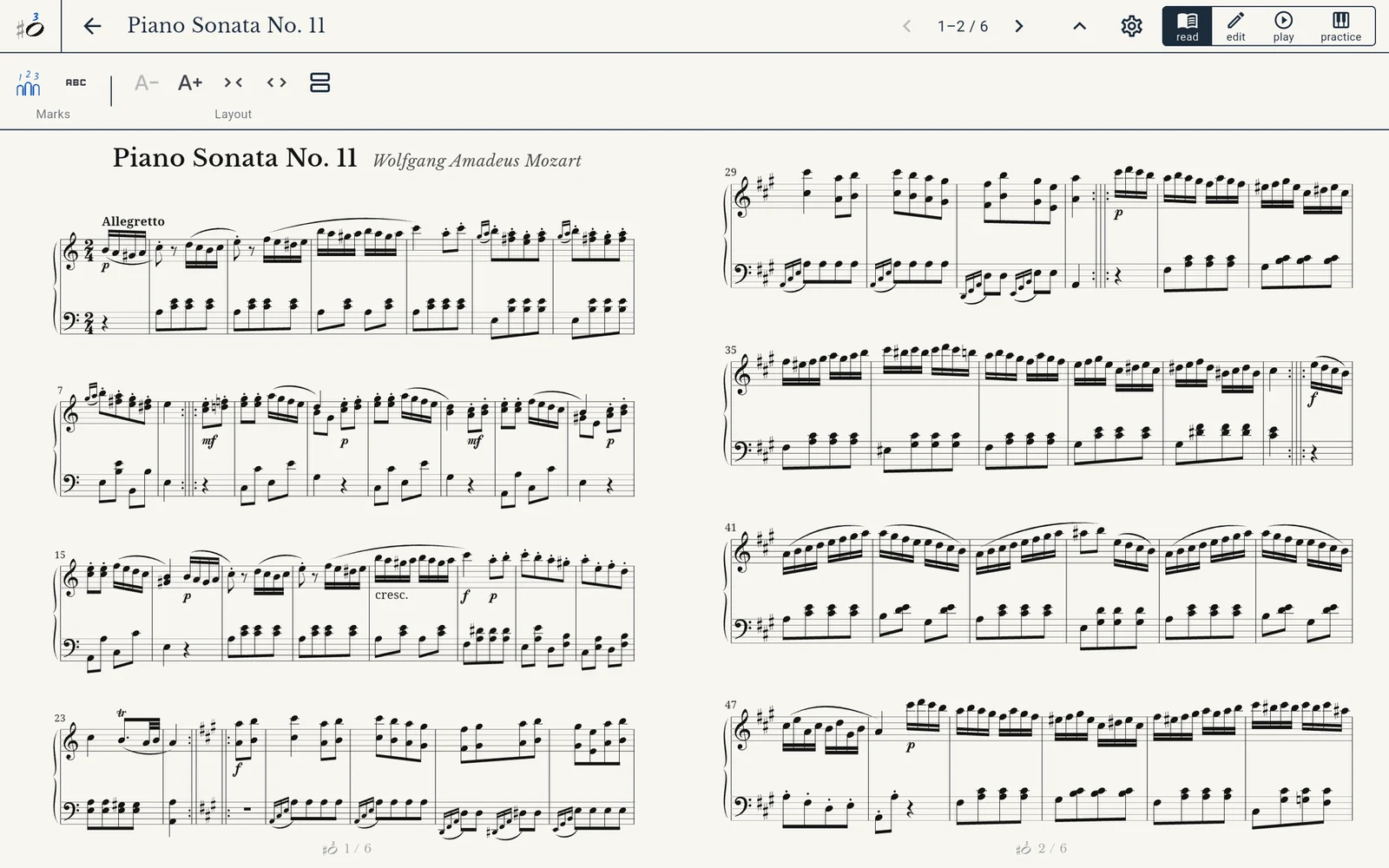
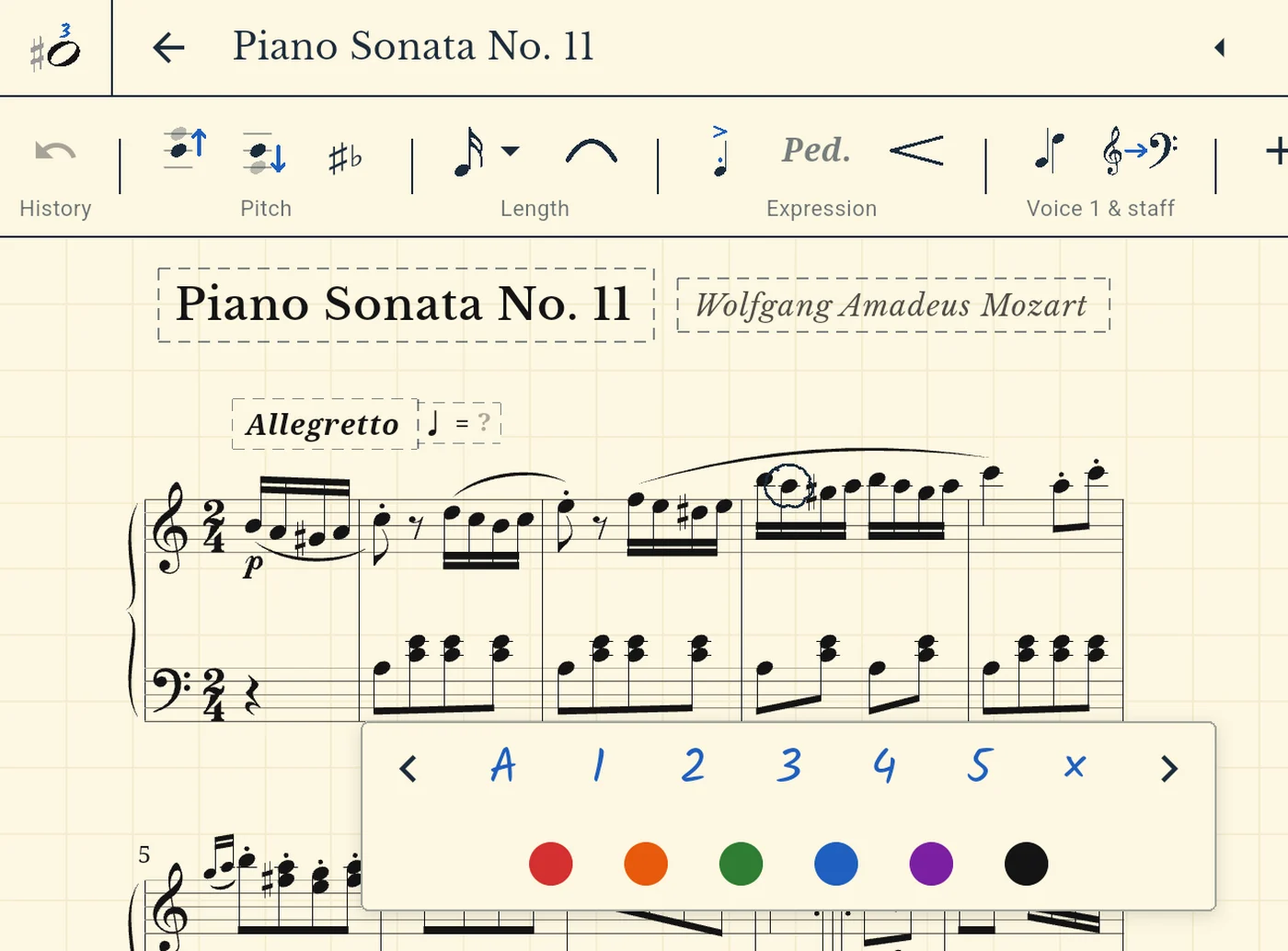
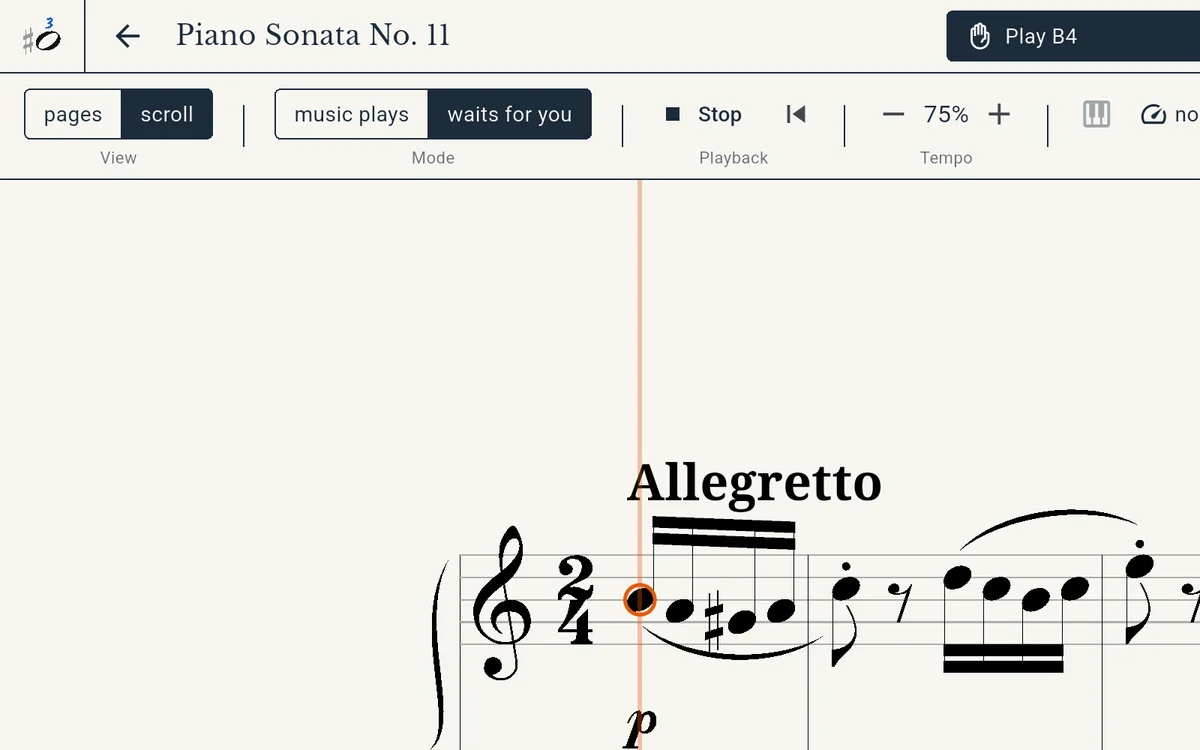
Show note names while you are still learning to read. Write in your fingering. Let the music wait at each note until you have found the key.
Import a PDF or MusicXML file, correct what was misread, rework a passage or write a new piece. Export it as PDF, MusicXML or MIDI.
Tap a note and choose A to see its name. Or switch the names on for the whole piece, and off again once you no longer need them. In German, of course, with H and Fis.
Import the sheet music you own. A long piece opens as one score that you play from beginning to end. A method or theory book stays as it is, text and pictures included, and every short exercise in it opens on its own.
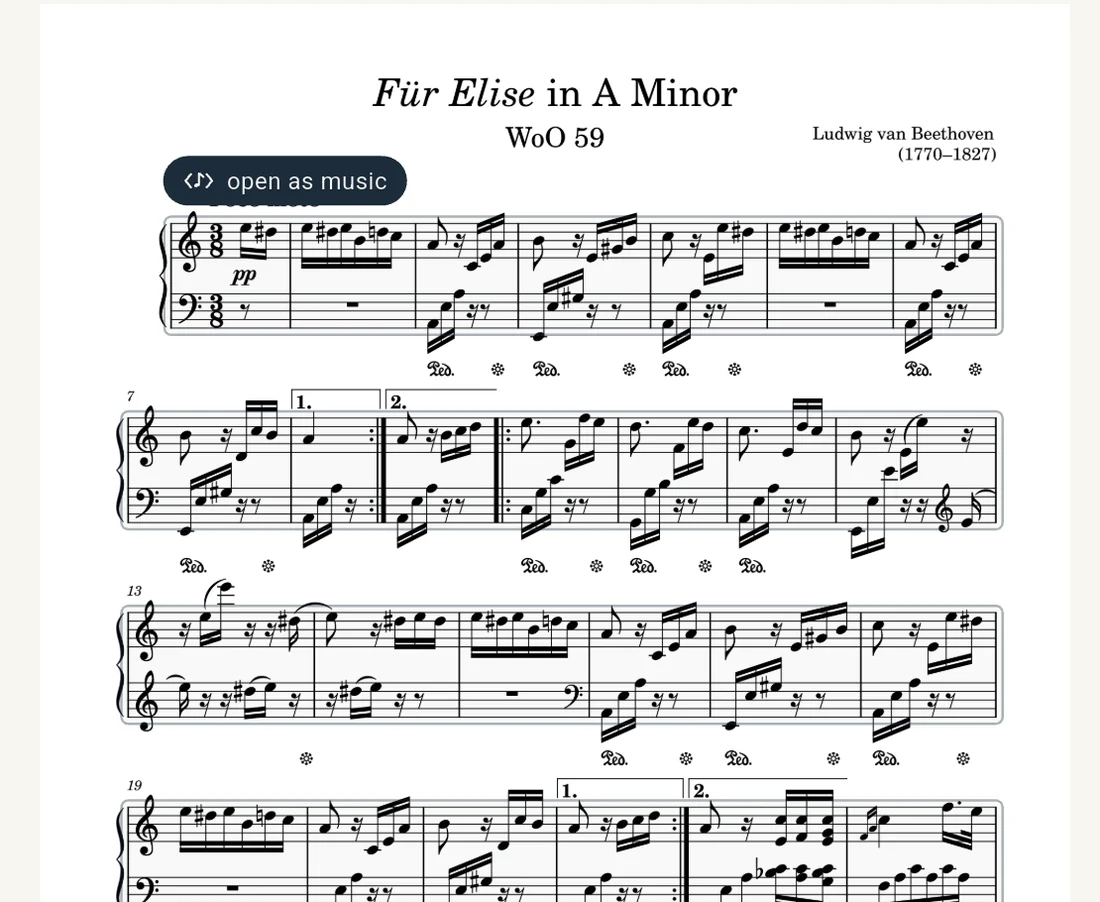
Ossia plays the piece at any tempo, and a line shows where you are. With a digital piano or keyboard connected over USB you can play along: the music either waits at every note until you play it, or keeps going and shows you afterwards which notes were right.
When Ossia reads a PDF, it keeps the original. In edit mode you see both: the score at the top, the page it came from below, and the measure you are working on marked in both. Measures Ossia was unsure about are marked for you to check.
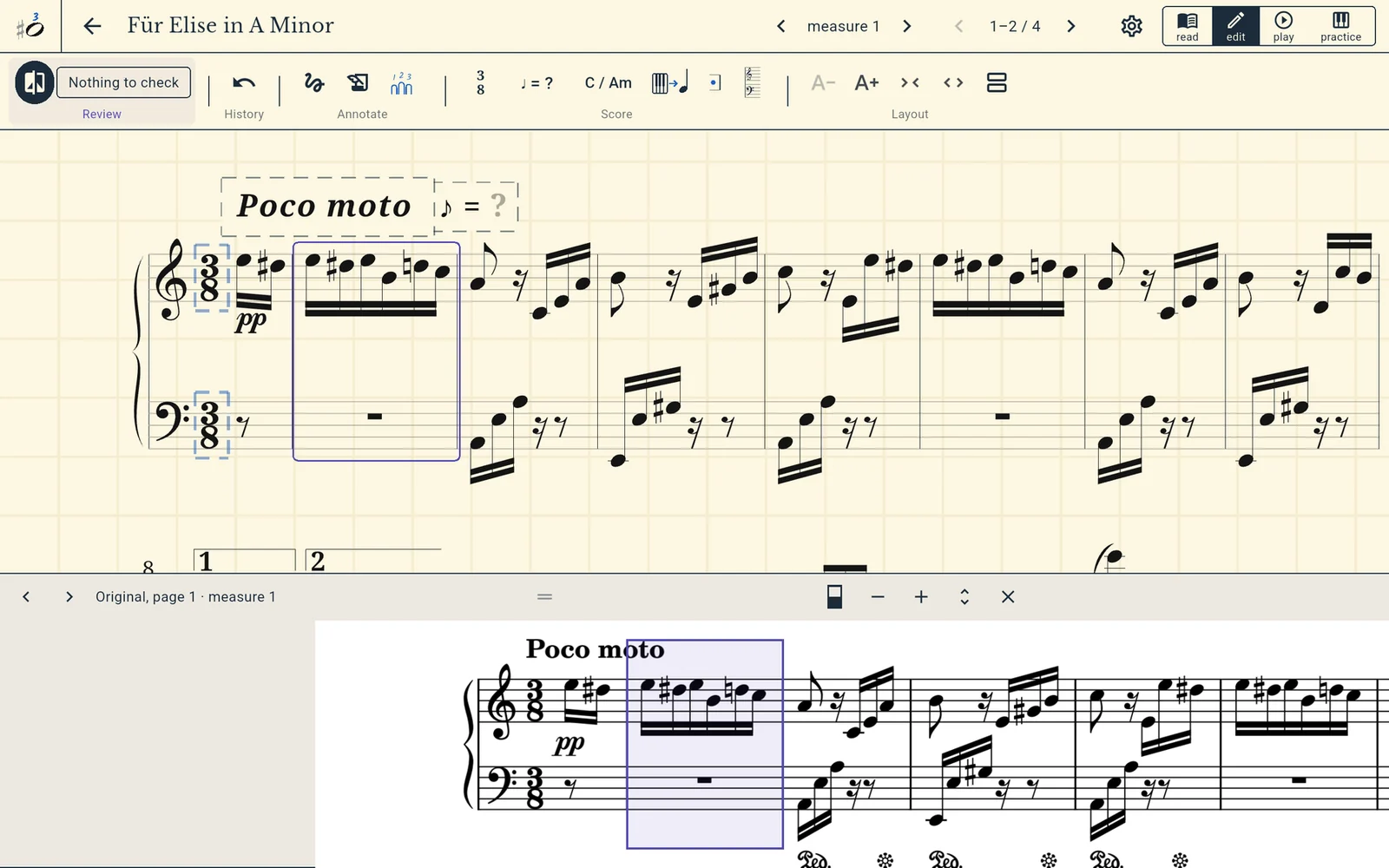
With a finger or with the pen. Every step can be undone.
MusicXML comes from MuseScore, Finale, Sibelius, Dorico and most other notation programs.
Ossia turns a PDF into music on the tablet itself. Your files are not uploaded anywhere.
There is nothing to sign up for. Open the app and import a piece.
Only if you say yes does Ossia tell us when something breaks: the error and the steps before it. Your music, titles and file names are never sent.
We are looking for pianists with an Android tablet who will use Ossia for two weeks and tell us honestly how it went.
Sign upQuestions? hello@ossiapiano.com
Thank you for testing.